
Kasi Lifestyle 3D controls, music and lag fixes
Updated 5 October 2026 · By KSL Guide Editors · Unofficial fan guide
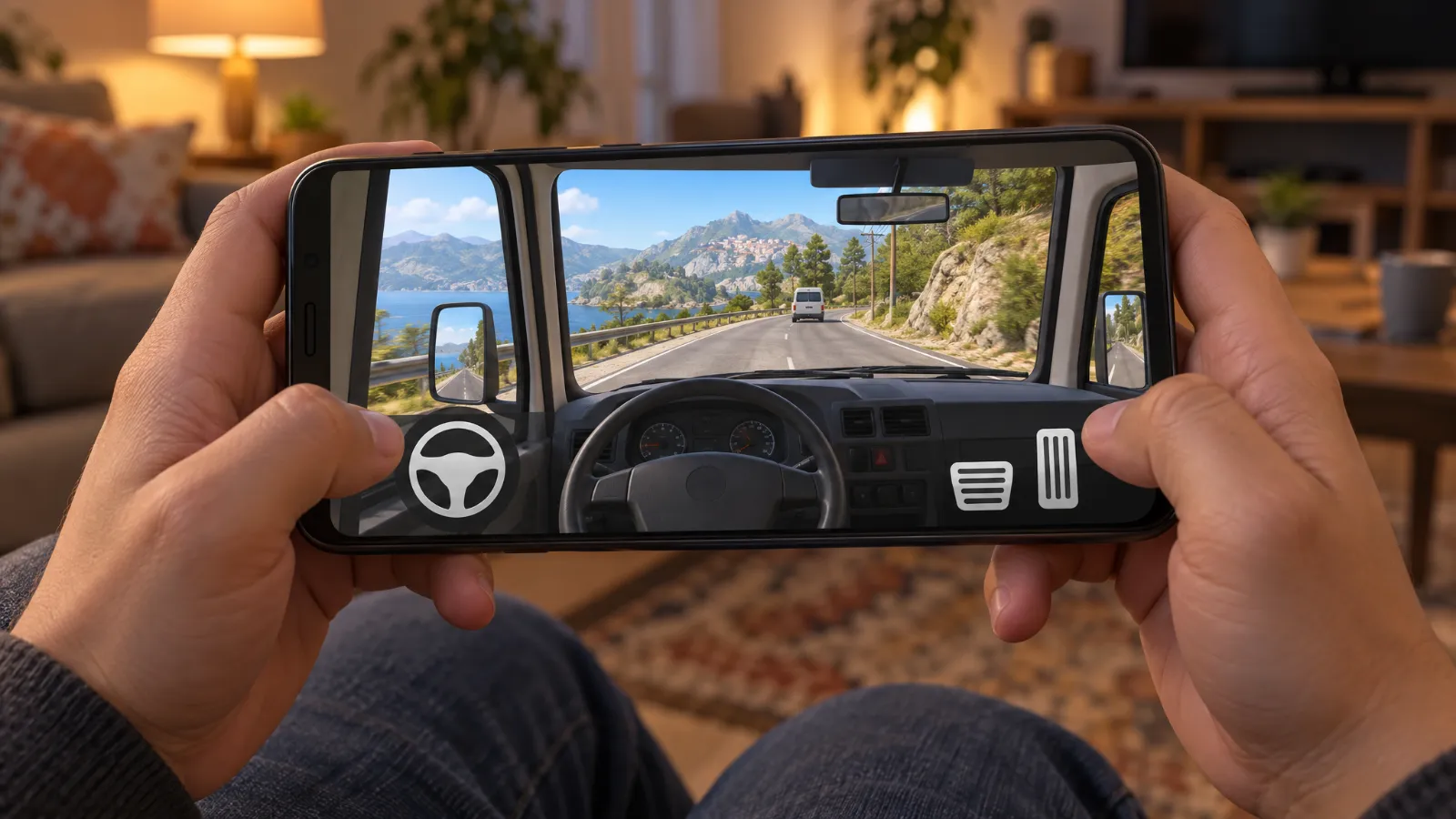
You drive with an on-screen steering wheel and pedals, play music from the in-game phone, and need at least 2GB RAM and about 1.5GB of free space. Most lag and crashes on cheap phones come down to RAM and storage, so start there.
Controls (Android)
- Steering: the big wheel on the left of the screen. In the v1.2 builds you could change the controller type in the menu (Steering Wheel was the option shown). Uptodown's description of the first beta also mentions tilt steering and left/right buttons.
- Accelerator and brake: the pedals on the right.
- Top bar (v2.51): music note (phone music player), camera (switch views), a menu button, your balance in rands, and +/− buttons on the side to zoom the camera.
- Doors: v2.51 has separate buttons for the left, right, back and sliding doors.
- Driving aids (v1.2 menu): ABS, ESP, TCS and SH toggles, plus a "behaviour type" setting (Simulator was the one shown).
- Lights, wipers, windows: a Tools menu in the cab (seen in v2.1).
On PC the developer hasn't published a keyboard layout, so we haven't listed one.
How to play your own music
- Put the songs you want (MP3s) on your phone.
- In the game, tap the music note on the top bar. In v2.51 this opens a phone screen with the music player.
- Pick a song. Use play/pause, volume and the 3D toggle, which changes how the sound plays.
- If no songs show up, check Settings › Apps › Kasi Lifestyle 3D › Permissions and allow Music and audio (called Files and media or Storage on older Android).
Open the doors and boot and the speakers show, with passengers dancing through the windows. That's been part of the game since the first beta.
What phone you need
| RAM | 2GB minimum (developer's own note on itch.io). 3GB or more runs smoother. |
|---|---|
| Download | 508 MB APK (v2.51.1) |
| Free storage | Aim for 1.5GB or more. The APK has to unpack, and the game saves data as you play. |
| Android version | Not stated for v2.51.1. The v2.5 listing says 4.4+, and Lite says 4.0–14. |
| Processor | The v2.5 build is 32-bit ARM (armeabi-v7a). A few newer 64-bit-only phones can't install 32-bit apps. |
Not sure which Android you're on? Settings › About phone › Software information (Samsung) or Settings › About phone (most others).
Fixing lag on low-end phones
- Close everything else. WhatsApp, Facebook and TikTok in the background eat the RAM the game needs. Clear them from the recent-apps screen.
- Restart the phone before a long session, to free up RAM.
- Turn off battery saver. Power-saving modes slow the processor down. Samsung's Game Booster or Xiaomi's Game Turbo can help instead.
- Play offline when you can. Offline Solo has no network load. Multiplayer rooms with lots of cars are the heaviest.
- Keep the phone cool. Take it out of a thick cover and don't play while charging. Hot phones throttle hard.
- Still too slow? Try Lite. The developer made Kasi Lifestyle 3D Lite for weaker phones. His site lists it at 203 MB, with 2GB RAM minimum and 4GB recommended.
Graphics settings
Crashes and loading problems
- Stuck on "Loading game files" or "Initializing graphics pipeline": give the first launch a minute or two. If it never moves past 0%, free up storage and restart the phone.
- Crashes to the home screen: Settings › Apps › Kasi Lifestyle 3D › Storage › Clear cache. Don't tap Clear data unless you're happy to lose your progress.
- Crashes right after an update: uninstall, then reinstall the latest build from the official download page.
- Multiplayer won't connect: see the multiplayer fixes.
FAQ
+How do I play my own music in Kasi Lifestyle 3D?
Tap the music note on the top bar to open the in-game phone's music player, then pick a song stored on your phone. If Android asks for access to music and audio, allow it, or the player can't see your songs.
+Can Kasi Lifestyle 3D run on a 2GB RAM phone?
Yes, 2GB is the developer's stated minimum. Expect some lag in busy areas and multiplayer rooms. Close every other app before playing, and consider the Lite version if it's too slow.
+Why does Kasi Lifestyle 3D keep crashing?
The usual causes are low RAM, low storage or a broken install. Restart the phone, free up at least 1.5GB, clear the app's cache (not its data), and reinstall the latest build from the developer's itch.io page if it still crashes.
+What Android version do I need?
The developer doesn't state one for v2.51.1. His v2.5 Uptodown listing says Android 4.4 or newer, and his site lists the Lite version for Android 4.0 to 14.
Sources
- EUX Studios SA – Kasi Lifestyle 3D Multiplayer v2.51.1 (itch.io)
- How to play music on Kasi Lifestyle 3D V2.51 (YouTube, 30 Sep 2026)
- Kasi Lifestyle 3D Neocities v2.51 Gameplay update (YouTube, 29 Aug 2026)
- How to connect multiplayer in Kasi Lifestyle 3D (YouTube, 19 Jan 2025)
- New Kasi lifestyle v2.1 multiplayer free (YouTube, 23 Dec 2025)
- Uptodown – Kasi Lifestyle 3D Beta Multiplayer 2024 November (review)
- Uptodown – Kasi Lifestyle 3D 2024 June (v0.1)
- Uptodown – Kasi lifestyle 3D Multiplayer v2.5 2026 (version list)
- EUX Studios SA download hub (Neocities)
- Google – Android Help: Check & update your Android version